Hey MUSH forum,
There are three images shown in this link:
Image 1. a background image
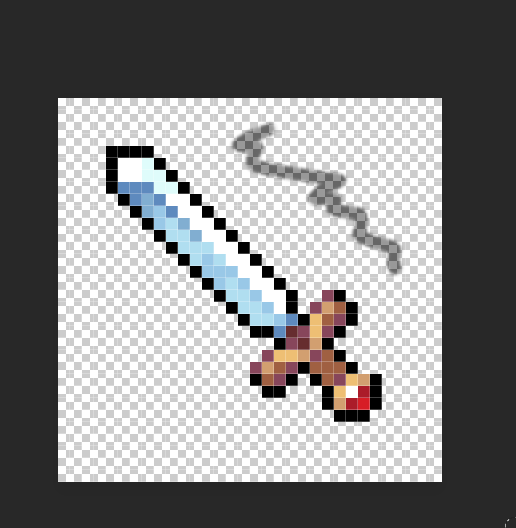
Image 2. a sword
Image 3. a background image with a sword on top.
I am using terrain tiles in my mapper.
I am trying to be able to overlay Image 2 (sword)
over Image 1 (background image) via code.
I can photoshop these over each other, like Image 3, but I want to be able to slap image 2 over any terrain tile (image)
I am using
to load the sword (named weaponshop) over the typical room terrain, and it's loading a sword over the original background, but it's loading a sword with a white background where the box is, not a sword with a transparent background over the normal background image.
I've added an alpha mask to the image, and saved it transparently as well, but the white background remains when loading the image.
Is there a trick to getting this to work?
Would be nice to get it working properly.
I've tried all kinds of stuff in the editing process, not sure why it's appearing with the white background.
I did also try without the miniwin.image_stretch as well..
Thanks for the insight.
I've already used these links as help, but my problem remains:
I've tried changing the final arguments to do opacity.
There are three images shown in this link:
https://imgur.com/a/mHmDnBMImage 1. a background image
Image 2. a sword
Image 3. a background image with a sword on top.
I am using terrain tiles in my mapper.
I am trying to be able to overlay Image 2 (sword)
over Image 1 (background image) via code.
I can photoshop these over each other, like Image 3, but I want to be able to slap image 2 over any terrain tile (image)
I am using
WindowDrawImageAlpha (win, "weaponshop", left, top, right, bottom, miniwin.image_stretch)to load the sword (named weaponshop) over the typical room terrain, and it's loading a sword over the original background, but it's loading a sword with a white background where the box is, not a sword with a transparent background over the normal background image.
I've added an alpha mask to the image, and saved it transparently as well, but the white background remains when loading the image.
Is there a trick to getting this to work?
Would be nice to get it working properly.
I've tried all kinds of stuff in the editing process, not sure why it's appearing with the white background.
I did also try without the miniwin.image_stretch as well..
Thanks for the insight.
I've already used these links as help, but my problem remains:
I've tried changing the final arguments to do opacity.